
McCormick Estimating Education
Enhance your business by improving your bidding.
Your Estimating Classrooms
Whether you want to join us in-person or learn from the comfort of your desk, our hands-on training programs ensure you get the most out of our software.

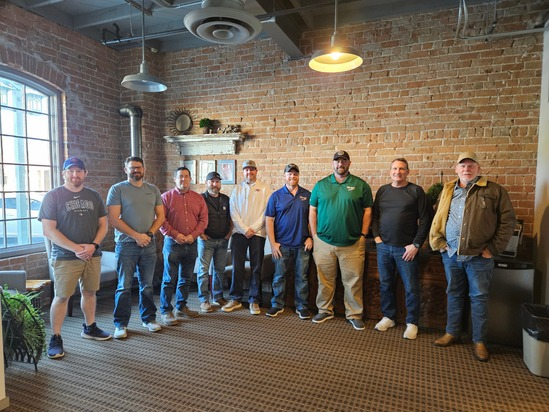
Online
Learn from anywhere with our convenient, one-on-one virtual training sessions. You'll get individual attention and all your questions answered in this popular and personal option.
In-Person
Join us at McCormick College! We'll deep dive into your system and show you how to customize the program to meet your needs.
West Coast Office – Arizona
- 149 W. Boston Street, Chandler, AZ 85225
East Coast Office – Ohio
- 17800 Royalton Road, Strongsville, OH 44136
Client-Site
Have a larger estimating team? Then we'll come to you! Our custom program is an easy and cost-effective way to train everyone at once.
For information on any of these training options, please contact us at (800) 444-4890 or msi@mccormicksys.com.
McCormick College
Whether you're a new user or a long-term customer, there are always new ways to create efficiencies in McCormick.
For Beginners
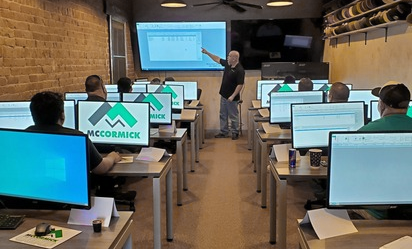
During this 3-day in-person training, our trainer will walk you through the five steps of estimating with McCormick. We’ll begin with small projects and work up to finalizing larger jobs with our built-in takeoff tools.
- 10 seats available to ensure an individualized experience
- Convert manual practices into digital estimating success with step-by-step instruction
- Brush up on skills and learn new shortcuts
- Receive a take-home detailed training manual so you can keep fine-tuning skills after the class
Who should attend? All new users and those who are comfortable with the software but want to become more proficient and productive.

For Advanced Users
During this 2-day in person class, our trainer will show you how to customize McCormick to match your estimating process.
- 10 seats available per class
- Hear more about Design Estimating Pro
- Explore the database tools you can use to modify items and assemblies
- Practice using the jobs window to get additional details
- Set up and use security groups
Who should attend? Advanced users who've taken the beginner class and are already proficient in all McCormick takeoff phases.
College Schedules
Click on a date to save your seat!
McCormick College Beginner
McCormick College Advanced
Cancellation Policy: Refunds, minus a $50.00 administration fee, may be given for cancellations sent to events@foundationsoft.com at least one month prior to the event start date. Cancellations between 30 days and 1 day in advance may receive a 50% refund of registration fees paid. No refunds will be given for no-shows or cancellations the day of the event. Substitutions are available at any time for no additional cost.
Meet Your McCormick College Instructors



See What Contractors Are Saying About McCormick Systems
Don’t Want to Wait?
Ready to learn even more about McCormick before or after your training? Check out our product videos!